The Basics
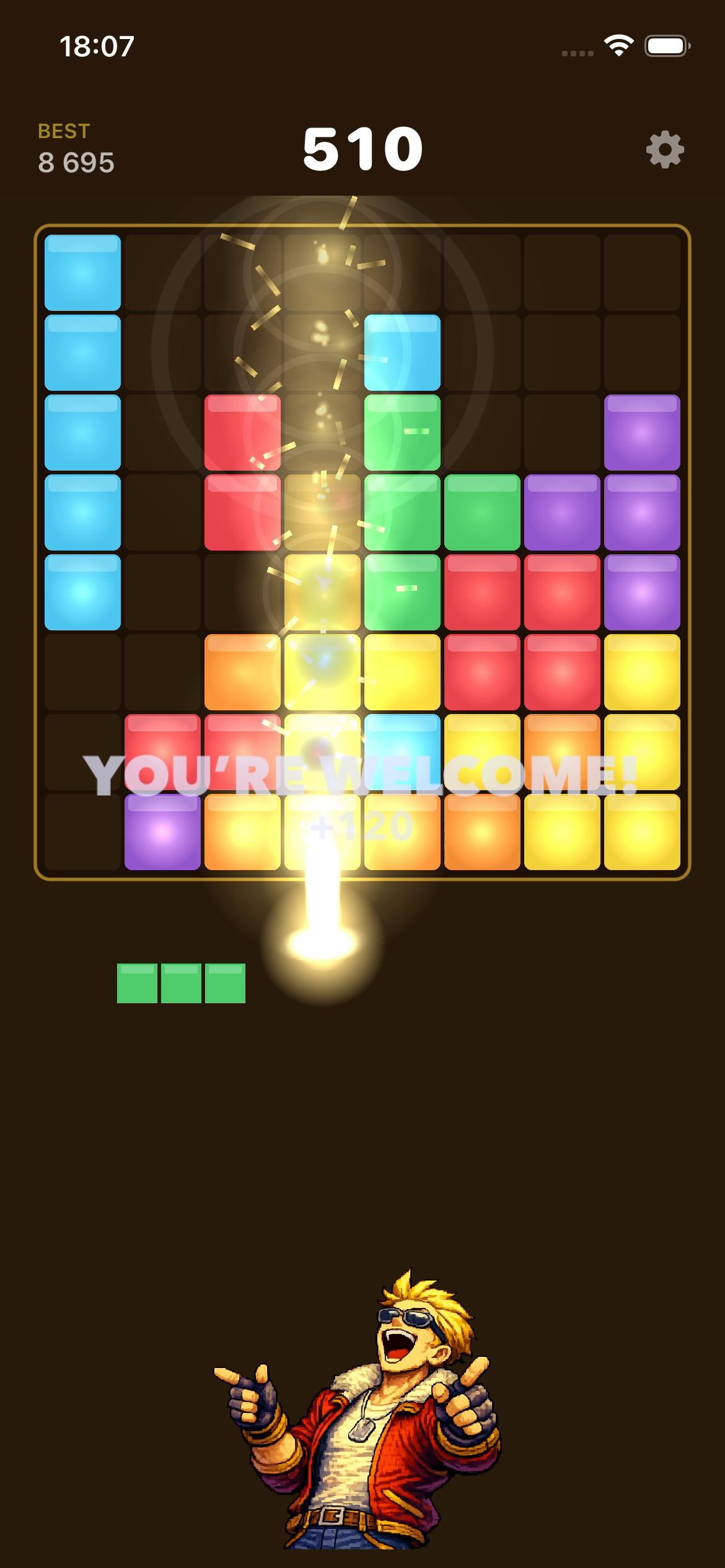
You have an 8×8 grid and three block pieces sitting in the tray at the bottom of the screen. Your job is to drag those pieces onto the grid and fill complete rows or columns — when a row or column is completely filled, it clears, scores you points, and makes room for more blocks.
When all three pieces have been placed, you get three new ones. The game ends when none of the remaining pieces can fit anywhere on the grid. There’s no time limit. Take your time.
Placing a Block
- Press and hold any piece in the tray — it lifts up to your finger.
- Drag it over the grid. A ghost preview shows exactly where it will land.
- Release on a valid position to place it. It snaps into place with a satisfying thud.
- If you release it somewhere it doesn’t fit, it floats back to the tray.
Clearing Lines
Fill every cell in a row (left to right) or a column (top to bottom) and it clears completely, leaving that space open again. You can clear multiple rows and columns with a single placement — the more you clear at once, the bigger the bonus.
Keep clearing on consecutive placements to build a combo. Higher combos multiply your score up to 8×.
Scoring
| What happened | Points |
|---|---|
| Placing a block | 10 pts per cell placed |
| Clearing 1 line | Cells cleared × 10 |
| Clearing 2+ lines at once | Exponential bonus (1.5× per extra line) |
| Combo (consecutive clearing placements) | Score × multiplier, up to 8× |
| Earning a rotation token | Every 500 points |
Rotation Tokens
Every 500 points you earn a rotation token. When you have one, a rotate button appears below each piece in the tray — tap it to spin that piece 90° clockwise. A rotation can squeeze a piece into a gap it wouldn’t normally fit.
- You can only rotate one piece per set of three. Once placed, the token is spent.
- Rotating a piece back to its original position refunds your token.
- You can hold a maximum of 1 token at a time — spend them as you earn them.
Characters
Each character has their own personality, voice lines, and reactions — celebrating big combos, commiserating on tough spots, encouraging you on good clears. Pick your character from the home screen; your choice is saved between sessions.
Dramatic Italian chef. Treats every clear like a Michelin-star moment.
Methodical tech nerd. Analyses every move with spreadsheet precision.
Powerful and thunderous. Clears lines like he’s lifting weights.
Over-the-top showman. Every placement is a performance.
Mad scientist. Sees the grid as a lab experiment waiting to explode.
Chaotic goofball. Finds pure joy in the glorious mess of it all.
Tips
- Think about what’s next. Before placing a piece, look at all three in the tray. Sometimes the second piece changes where the first should go.
- Columns clear too. It’s easy to focus on rows. Columns are just as valuable — especially with tall vertical pieces.
- Don’t corner yourself. Avoid filling edges in ways that leave awkward gaps. Big square pieces become deadly when there’s nowhere left to put them.
- Save rotation tokens for emergencies. They’re most valuable when a piece absolutely has to go somewhere it currently doesn’t fit.
- Combos compound fast. Three consecutive clears takes you from 1× to 3×. Chain two or three in a row and the score jumps dramatically.
- One piece at a time is fine. You don’t have to clear every turn. Sometimes the right move is to fill a section and wait for the perfect piece.
When It Ends
The game is over when none of the three tray pieces can fit anywhere on the grid. The board fills up gradually — keep an eye on open space, especially in the later stages of a long run.
Your score is compared to your personal best. Beat it and the high score updates immediately.
Good luck. The grid is waiting.